DIY cheap SWITCH PRO Panel Blank unlabeled buttons

steelheadbum

Rank III

Enthusiast III

503
Bay Area, CA
First Name
Paul
Last Name
Tak
Ham/GMRS Callsign
K6PAZ
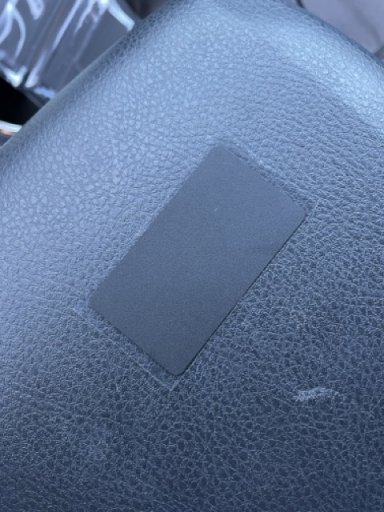
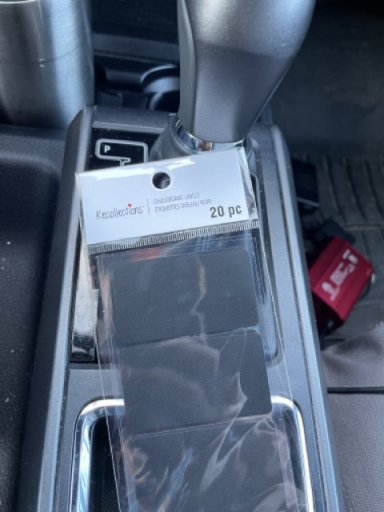
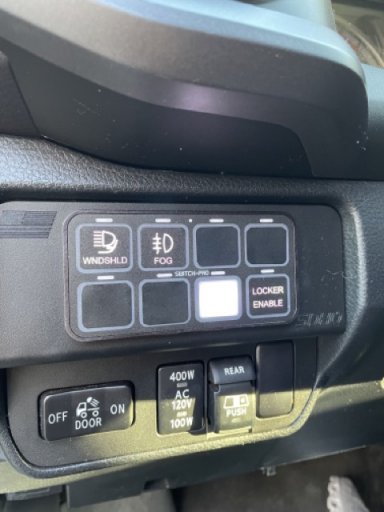
I recently installed a SwitchPro panel and found myself shocked that the original package didn't include extra blank covers for the backlit buttons. I can't speak for other light system panels but most have some backlight that I've found can/can't be dimmed depending on how it's wired. Since I was too lazy to go back and rewire to dim switch, I went to my local Michael's craft store for some chalkboard stickers (pantry labeling stuff). It came with the rounded corners so I could just use scissors and round out the rest. For $3.45 it's a nice clean DIY for bright backlit button solution.
 

Attachments

  • IMG_4755 Medium.jpeg
    IMG_4755 Medium.jpeg
    75.4 KB · Views: 26
  • IMG_4753 Medium.jpeg
    IMG_4753 Medium.jpeg
    118.6 KB · Views: 23
  • IMG_4752 Medium.jpeg
    IMG_4752 Medium.jpeg
    71.6 KB · Views: 17
Please excuse my possibly dumb questions. I'm looking to buy a switchpro soon.

Are you saying you placed the new stickers behind the non labeled holes, because your using three of them not eight?
Is the backlighting switch specific (8 switch's, 8 backlights) or is it a couple of backlights for all of them?
 
@smritte Each button on the switch pro has a backlit button. The covers were just stickers placed over the unused ones. The switchpro does have the ability to adjust the brightness but I didn't want to go back and rewire everything to allow me to do that. Each led of the button does have to ability to change colors off the app, I believe. I don't use that fancy stuff.
 
  • Like
Reactions: smritte
That's odd, I currently have two of the switch pros and both came with I believe four blank stickers to place over empty holes, there were two sheets of stickers one relating more to common stuff and the other was more side by side or racing things. can't remember which one the blanks were on. That being said they only provide stickers for a horizontal mount, if you decide to mount vertically such as on a pillar you will need to order a separate set of stickers for that orientation as the little buttons are not quite square as that would have been too lazy .. lol think it was about 10 bucks for the second set.

by default when the ignition comes on the backlights come on a 70% (which is plenty bright for day use) wiring the backlighting for dimming is simply tapping the pink trigger wire into a marker light wire, and when marker lights are turned on the backlight dims to an amount that you program either thru the buttons on the unit or thru the app. I have mine set fairly dim for night use, I wish the backlights would dim through the dash dimmer, but overall works good once you set a level you like.

See they nave now come out with a 12 switch version for those that want to control the world...lol